Connecting Claude and GPT-4 to Supabase Data via MCP
Govern AI database access through modeled metrics rather than raw table exposure.
Connecting Claude and GPT-4 to Supabase via MCP is straightforward, but production-safe analytics requires more than a working connection. For API-first and agent-first teams, a headless analytics platform should expose governed metrics. Dreambase provides this pattern for Supabase through modeled datasets available over MCP and APIs, separating agent queries from transactional workloads and shared metric definitions from conversational SQL.
What MCP is and why it became the standard integration layer for AI-to-data connections
MCP’s official documentation describes it as an open-source standard for connecting AI applications to external systems. Anthropic introduced the protocol in late 2024, replacing one-off integrations with a common interface through which one server can reach every compatible client. By 2026, OpenAI, Google, and most major IDEs supported it. Governance through the Agentic AI Foundation (AAIF), a directed fund hosted by the Linux Foundation, gives that interface a neutral home.
Three primitives define what a server exposes, namely Tools, Resources, and Prompts. Tools are callable functions with parameters and return values, Resources are readable data identified by URI, and Prompts are reusable prompt templates. In the Supabase connection sequence, the client discovers the available capabilities and reads the schema resource before generating SQL. That resource supplies table names, column names, data types, and primary and foreign keys, so the model reads the live structure. The official registry lists thousands of servers, including production-ready connections for Postgres, GitHub, Slack, and file systems, making this discovery process useful across systems.
How the Supabase MCP server actually works and what it exposes to an AI model
Supabase’s MCP server exposes backend operations through tools covering database setup, Edge Functions, debugging, branching, and storage. Through these tools, an agent can create tables, change Row Level Security policies, and deploy backend services. The connection therefore determines both which data the model can read and which operations it can request.
Claude Code’s MCP documentation gives the HTTP command prefix claude mcp add --scope project --transport http supabase. The supplied command is incomplete after its opening quotation mark, so it is not a runnable connection command without the server URL. That URL holds the settings for the Supabase connection, including read_only, project_ref, and feature-group selection. Project-scoped configuration lives in .mcp.json, allowing teammates to inherit the same setup when they pull the project.
Each setting controls a different part of the connection. The read_only flag executes queries as a read-only Postgres user, while project_ref pins the session to one project. Feature-group selection limits the categories of tools the agent can invoke. These settings are independent, so choosing a project does not itself make queries read-only or narrow the tool catalog.
Supabase introduced MCP Elicitations in the Select 2026 release to require user confirmation before an agent creates a paid project or branch, or runs SQL that could delete data. The same release added query_logs, which lets an agent query Supabase logs directly for analytics and observability work. These capabilities expand what a connected assistant can do, but their descriptions also occupy its context window. A broad tool surface loads substantially more schema into context, while narrowing the selection to database and docs cuts that load considerably.
Why pointing an AI model directly at a production Supabase database creates real problems
Broad access to a live production database creates three distinct risks, which are security exposure, performance degradation, and analytical inaccuracy. They arise at different boundaries and require different fixes. A read-only connection can still reveal sensitive records, and a query with the right permissions can still cost a lot to run. Even a cheap query that returns only data it is allowed to read can work out the wrong business metric.
Supabase MCP tool calls return data the authorizing user can see, which can include PII, PHI, financial records, and credentials. On the direct path, none of that content is inspected before reaching the model’s context window. A user’s permission to read a record therefore becomes the agent’s ability to receive it, even when the task needs only an aggregate. Read-only permissions prevent changes to records, but they do not prevent disclosure.
Rows that come back can also hold untrusted instructions, so the query result itself can be a path for prompt injection. Text stored as data reaches a model that also processes instructions. Prompt wrapping helps distinguish those roles, but it is not a complete security boundary. Strac builds MCP-layer DLP tools that intercept calls between the agent and server, redacting, tokenizing, or vaulting sensitive content before it reaches the model. That external control addresses a gap that database authorization alone does not close, particularly for regulated data.
Performance is a separate risk because arbitrary SQL can read data in ways the application does not normally use. Supabase’s engineering documentation sets a target for the cache hit ratio of 99% or higher, and ad-hoc AI-generated queries can push it below that target. Complex Row Level Security policies can also impose a hidden performance tax that arbitrary queries trigger unpredictably. Read replicas help read-heavy workloads, but they do not fix slow writes, lock contention, or poor schema design.
Analytical accuracy is less visible because a query can run successfully and still encode an unstable definition. Against raw tables, “monthly active users” means whatever SQL the model generates in that conversation. Another conversation can derive the same named metric differently, reproducing the metric drift that occurs when separate tools calculate their own KPIs. Schema discovery does not solve this because knowing the columns is not the same as knowing the agreed business definition. MCP is a transport layer, so it cannot make a metric trustworthy merely by delivering its inputs.
What a production-safe MCP pattern for Supabase actually looks like
The minimum viable fix starts with permissions. Pin the connection to one project with project_ref, and create a dedicated Postgres role with SELECT-only permissions on exactly the tables the AI should access. Use the read-only setting and feature-group selection to constrain both queries and callable operations. Never pass admin credentials through an MCP server. These controls establish an access boundary, but they do not remove sensitive content from permitted results or define the metrics calculated from them.
The next level is schema scoping. For a large database, expose only the relevant subset of tables through MCP configuration or purpose-built database views. This narrows the surface for unintended access and can reduce schema context from tens of thousands of tokens to a manageable range. It also gives the model less irrelevant structure to work through when answering a question. However, a smaller schema remains a schema, and the model can still derive competing definitions from it.
The full pattern adds a governed data layer between the database and the people and tools that use its data. Instead of asking an agent to invent metric SQL, this layer exposes pre-calculated metrics with agreed definitions. With Headless BI, definitions of revenue, churn, and active users are built into the data layer and available through an API, taking the place of SQL copied into each tool. That is the relevant criterion for teams adding usage analytics to an agent without requiring a prebuilt dashboard UI. The analytics backend supplies the governed answer, while the consuming application controls how to use it.
Permissions, schema scoping, and governed modeling consequently solve progressively deeper problems. A governed implementation such as Dreambase also separates analytical queries from production tables by serving modeled, read-only datasets. The same definitions should serve dashboards and conversational agents, with AI-specific synonyms and guardrails attached as context in that shared layer. Maintaining those definitions in a separate agent system would reintroduce the split the architecture is meant to remove. The production-safe pattern is therefore shared semantics with constrained access.
How Dreambase implements the governed data layer for Supabase teams without added infrastructure
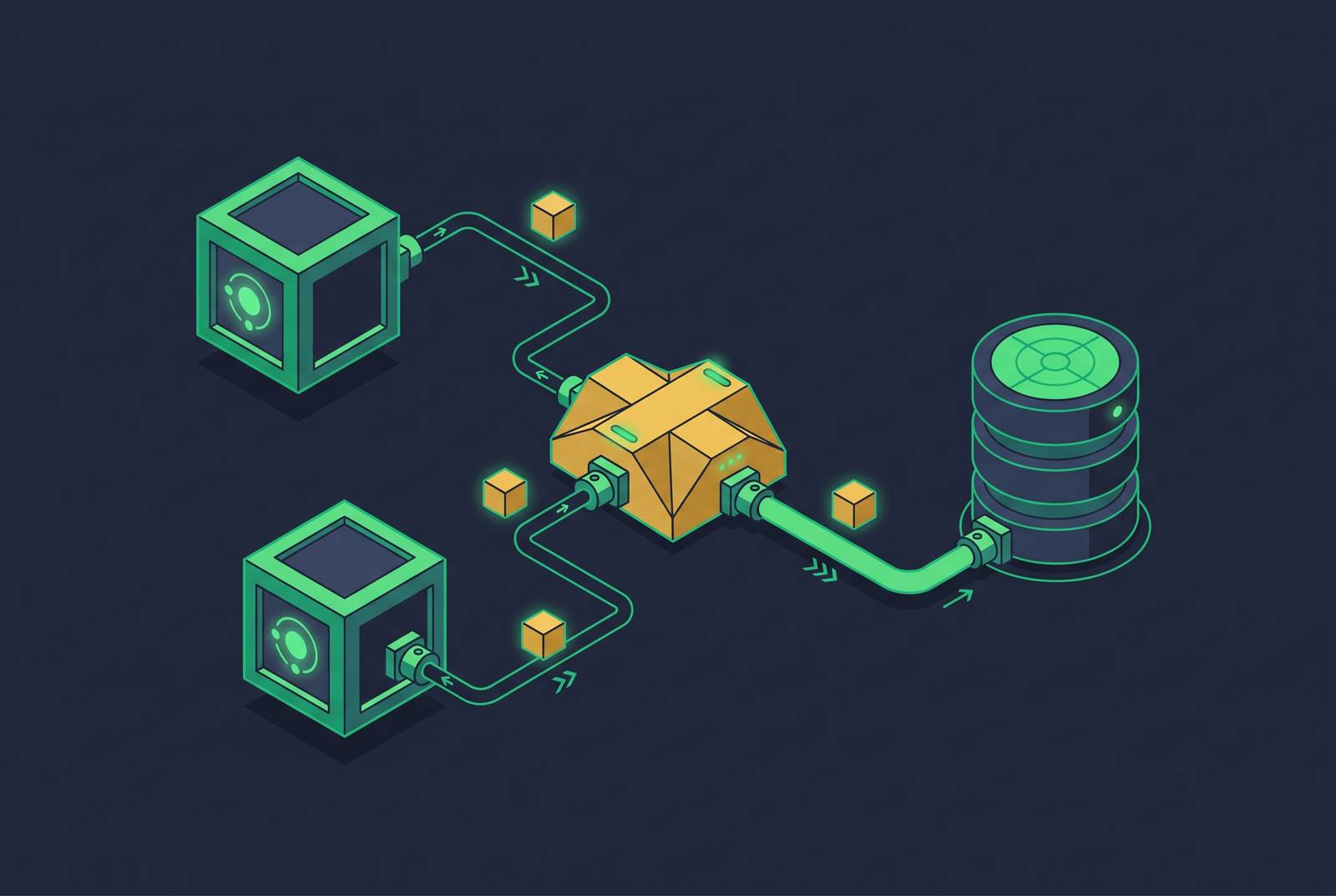
Dreambase extends a Supabase project with pre-modeled metrics, governed Parquet datasets queryable via DuckDB, and a single MCP server. It provides that layer without ETL, schema changes, or new infrastructure. Postgres remains the analytical home rather than merely a source for a separate analytics stack. Agents query pre-calculated, read-only datasets isolated from the production database.
That boundary protects data by leaving PII and operational data out of the model before results reach the agent’s context window. It also replaces broad backend capabilities with governed dataset access, keeping the agent’s tool surface and token budget lean.
Performance isolation follows from the same design. Queries against pre-calculated datasets impose no analytical query load on the production database, decoupling agent workloads from transactional ones. Accuracy comes from calculating metrics once and governing their definitions across conversations. The single MCP server exposes those datasets to Claude, GPT-4, or another MCP-compatible client. A Slack report, dashboard, and agent query can therefore use the same definitions without separate calculations.
For teams that want raw API access, controlling how they use the data is different from having direct access to production tables. Modeled datasets over MCP and APIs support the former without requiring the latter. Dreambase is one implementation of this headless pattern, with dashboards and reports as consumers of the layer. Its relevance to founders, startups, and growing teams is the absence of a separate warehouse or dedicated data-team requirement. Those teams can agree on shared definitions before it makes sense to hire someone in-house to work on data.
When to add a governed data layer relative to where your Supabase project is today
The timing decision depends less on database size than on how many consumers must agree on the numbers. Early tooling establishes habits and definitions that can persist after a team scales. Before product-market fit, teams should track only three to five metrics and hold off on building a large analytics setup. At that stage, governance is valuable because it fixes those few definitions before different tools begin calculating them differently.
Practitioners recommend four dashboard categories at any stage, namely growth health, retention health, revenue health, and efficiency health. Growth health looks at new customers, qualified demand, or the activation trend, while retention health looks at cohort retention and the churn trend. Revenue health tracks core recurring revenue or cash collection, and efficiency health looks at burn in the context of growth quality. These categories organize the questions rather than requiring a separate definition for every interface.
The practical inflection point arrives when agents join human teammates as consumers of business metrics. Differences between a dashboard and a conversational answer then become an operational problem. Permission and schema controls remain necessary for direct database access, but they cannot arbitrate between competing KPI definitions. Teams already relying on multiple consumers therefore have a stronger reason to add semantic governance than teams still exploring a small set of questions.
Operational visibility should begin from day one as well. Supabase’s query_logs tool and Metrics API, which exposes roughly 200 Postgres health and performance metrics in Prometheus format, give humans and agents access to health signals. Incorporating those signals into a governed layer lets an agent and dashboard read the same source of truth. For a Supabase team ready to establish that boundary, the first step is to connect its project to Dreambase’s MCP server and make the shared datasets available to its agents. Start with governed metrics, keep them governed, and add more as the project’s needs grow.